
Whether working from home or in the office, small workplace setup issues can gradually contribute to discomfort, fatigue, and long-term strain on the body. Identifying these early can help you catch and correct issues before they become a problem.
Here are 7 key ergonomic workplace risk areas to be aware of:
1. Chair & Posture
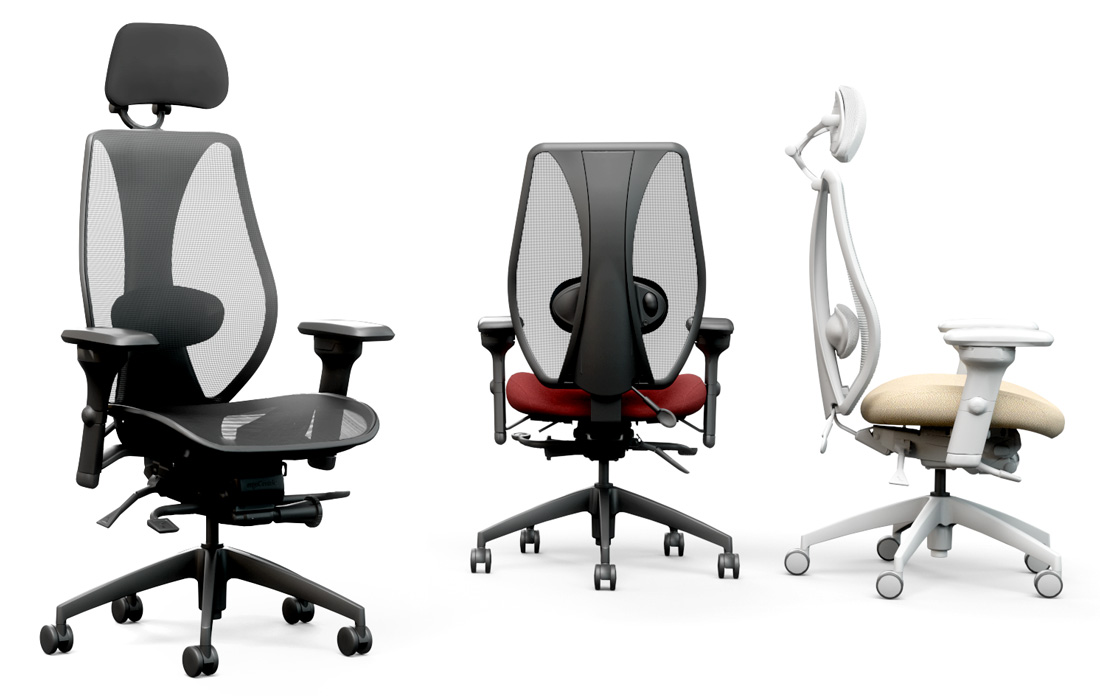
Your chair forms the foundation of your workspace. Poor posture or an improperly adjusted chair can place stress on the back, hips, shoulders, and neck. Proper seat height, lumbar support, and body positioning all play an important role in comfort.
Ergonomic chairs come in a wide variety of shapes and sizes, with many features that can be customized to fit your unique needs.
Click here to explore ergonomic chair options available.

2. Monitor & Screen Position
A monitor that sits too high, too low, or too far away can lead to neck strain and eye fatigue. Ideally, screens should encourage a neutral head position and comfortable viewing distance.
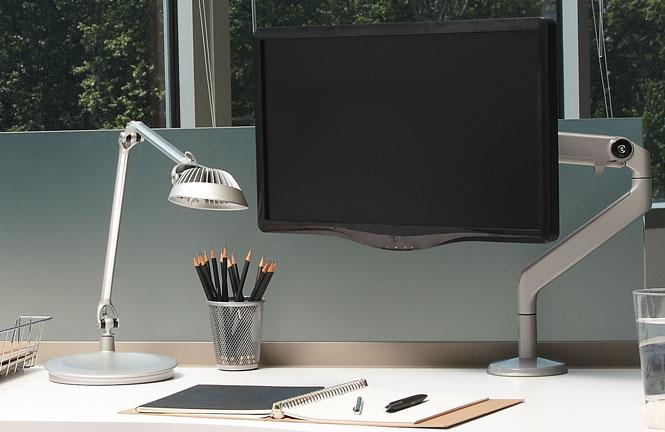
Installing a monitor arm gives you the ability to move your monitor to the exact position that's comfortable. You can choose between single or multi monitor set ups depending on your needs.
Click here to explore monitor arm options.

3. Keyboard Placement
Keyboard setup affects wrist, shoulder, and arm positioning. When keyboards are positioned too high or too far away, typing can create unnecessary strain over time.
4. Mouse & Pointing Devices
Many people underestimate how much stress repetitive mouse use can place on the wrist and forearm. Keeping the mouse within easy reach and supporting the forearm can help reduce tension and fatigue.
The right keyboard / mouse combo is an important choice. You want something fits your shoulder width, while allowing you to work in a neutral position.
Click here to explore keyboards and mice.

5. Symptoms & Pain
Discomfort is often the body's early warning system. Neck tension, sore shoulders, headaches, numbness, or back pain may signal ergonomic concerns that deserve attention.

6. Work Habits
Even the best workstation cannot compensate for staying in one position too long. Regular movement, posture changes, and short breaks are essential parts of a healthy workday.
Even a short walk or stretch away from the workstation can make a big difference. Research has shown that brief walking breaks during the workday can improve mood, reduce fatigue, and support healthier work habits throughout the day.
Movement matters.
7. Environment
Lighting, glare, temperature, and workspace distractions all influence comfort and productivity. A well-designed environment supports both physical comfort and focus.
Ergonomics is not about achieving one “perfect posture.” Instead, it is about creating a workspace that supports movement, comfort, and long-term wellbeing.
Understanding these seven workplace risk areas is a simple but valuable step toward a healthier and more productive work environment.
If you have any questions about your ergonomic workplace set up or are looking for the right products to fix your space, contact us to get started.